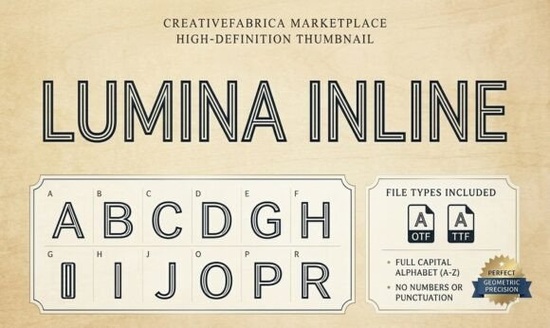
If you're looking for a display font that blends minimalism with bold visual impact, Lumina Inline Font is worth a closer look. Designed with clean geometry and a distinctive double-line structure, it offers a modern aesthetic that works well across both digital and physical projects. Whether you're creating a futuristic poster, designing sporty apparel, or cutting intricate SVGs for your Cricut machine, this font delivers clarity and style without unnecessary ornamentation.
What sets Lumina Inline apart is its outline-based construction. Unlike solid fonts, the inline design creates natural negative space, making it ideal for layered compositions, glow effects, or single-color cutting where detail matters. This makes it especially useful for crafters who work with vinyl, paper, or fabric any medium where line precision affects the final outcome.
Who is Lumina Inline best suited for?
This font shines in contexts where simplicity meets standout typography:
- Print-on-demand sellers can use it for t-shirt designs, mugs, or phone cases that need a sleek, contemporary vibe.
- Small business owners building a modern brand identity will find it effective for logos, social media headers, or packaging labels.
- Digital designers working on posters, magazine layouts, or web banners benefit from its legibility at large sizes.
- Crafters using Cricut or Silhouette machines appreciate how cleanly the lines translate into cut files no messy fills or complex paths.
Because it’s a sans-serif with geometric roots, Lumina Inline pairs easily with other minimalist fonts. If you’re curating a typographic system, consider pairing it with something like Volta for contrast or Dango if you want to soften the overall feel with rounded forms.
How does it compare to other inline or outline fonts?
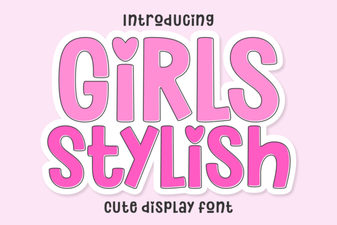
Not all outline fonts are created equal. Some lean retro, others feel overly technical. Lumina Inline strikes a balance it’s neutral enough to fit multiple aesthetics but distinctive enough to stand out. If you’ve explored options like Back to Retro, you’ll notice Lumina avoids nostalgic cues entirely, favoring a forward-looking tone instead. Similarly, while Girls Stylish leans decorative and feminine, Lumina remains gender-neutral and versatile.
For those who prefer bolder personalities in their typography, Cameron offers strong serifs and dramatic weight, which contrasts nicely with Lumina’s restrained elegance. And if you’re torn between inline styles and bubbly letterforms, Dango provides a playful alternative but Lumina keeps things sharp and architectural.
Tips for using Lumina Inline effectively
Because of its open structure, spacing and background choice matter more than with solid fonts:
- Avoid busy backgrounds. The double-line design can get lost over patterns or textured images. Solid colors or subtle gradients work best.
- Use generous sizing. Inline fonts lose detail at small point sizes. Stick to headlines, titles, or large-format prints.
- Test your cut files. If you're using it for vinyl or paper crafts, always do a test cut first some machines may require slight adjustments to handle fine lines.
- Layer with care. You can fill the interior with color, texture, or even photos, but keep contrast high so the shape remains readable.
One practical application: try using Lumina Inline for monograms. Its symmetry and clean lines make initials look custom and upscale perfect for wedding stationery, personalized gifts, or boutique branding.
Where to get it and what’s included
Lumina Inline is available through Creative Fabrica, which often bundles desktop, web, and SVG formats in one license ideal if you move between screen design and physical crafting. Always check the current listing for file types and commercial-use terms, especially if you plan to sell products featuring the font.
For more inspiration or alternatives, explore related collections like Volta, which shares a similar modern sensibility but with a solid build, or revisit retro-inspired display fonts if your project calls for vintage flair instead.
Before you download: Make sure your software supports OpenType features if you plan to use stylistic alternates (if included), and confirm compatibility with your cutting machine software if you’re a crafter. Most importantly, ask yourself: does this font solve a real design problem I have right now? If yes, Lumina Inline could be a smart addition to your toolkit.
Download Now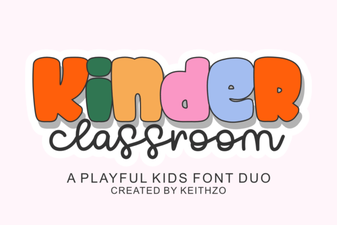 Kinder Classroom Font Ideas for Teachers
 Font Ideas for Girls' Creative Projects
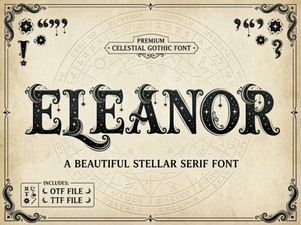 Download Eleanor Font for Beautiful Typographic Designs
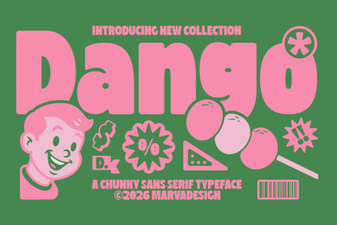 Dango Font: a Designer's Guide to Creative Typography
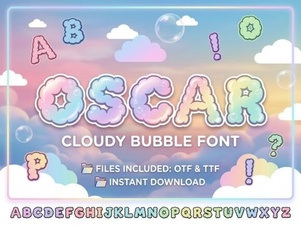 Discovering the Oscar Font: Typeface Design & Creative Uses
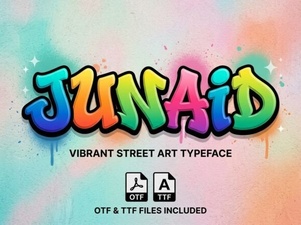 Junaid Font: Free Arabic Display Typeface